

Document Templates
Explore free document templates online for resumes, biodata, certificates, letters and more. Choose editable designs, customize text and details and create documents that are simple, clear, and ready to download, share or print. These templates save time and help you make professional documents with less effort.
A ready-to-use document template designed to save time, ensure consistency and simplify professional work across teams.
351+ Document Template

Freelancer resume template with Modern Blue Layout

Freelancer Resume Template for Professional Job Seekers
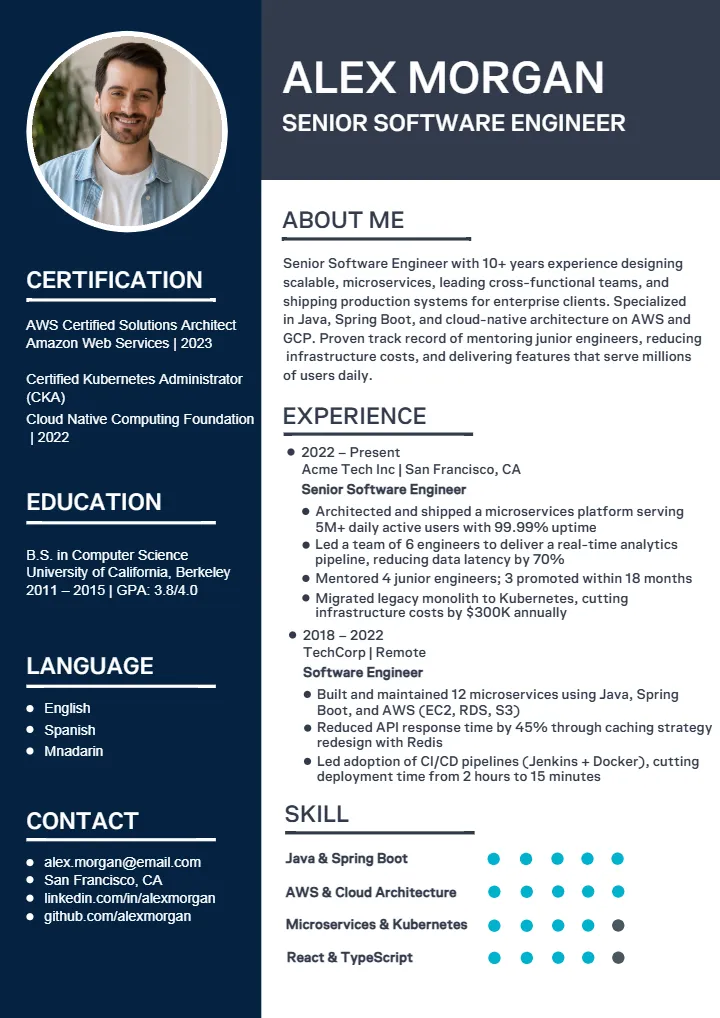
Software Engineer Resume Template for Your Dream Job
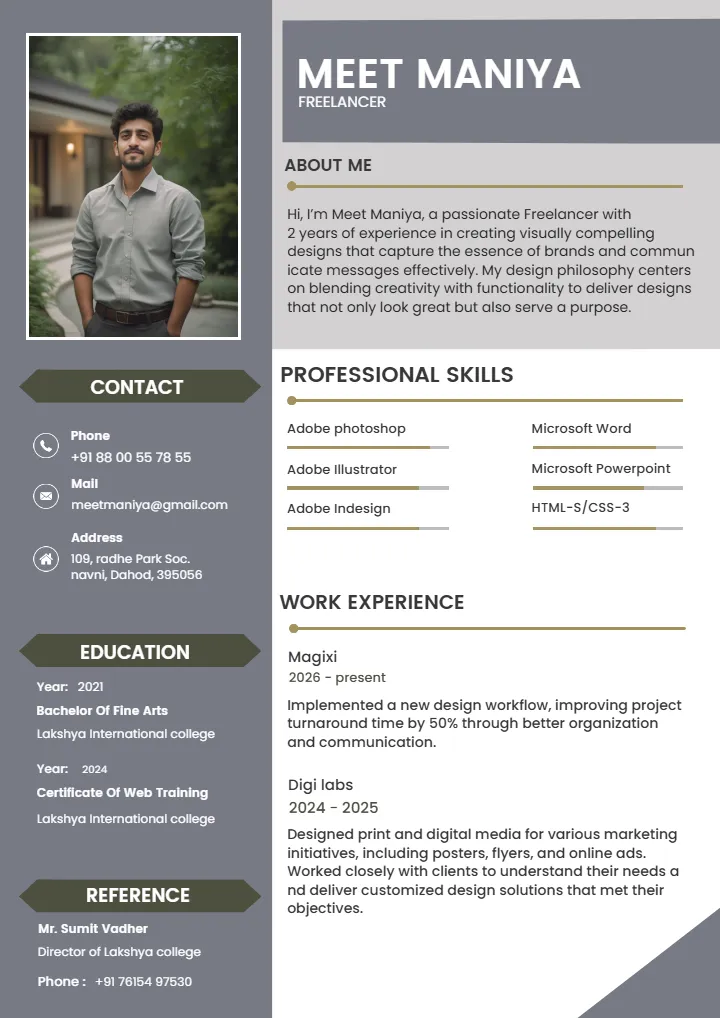
Professional Freelancer Resume Template for Your Career
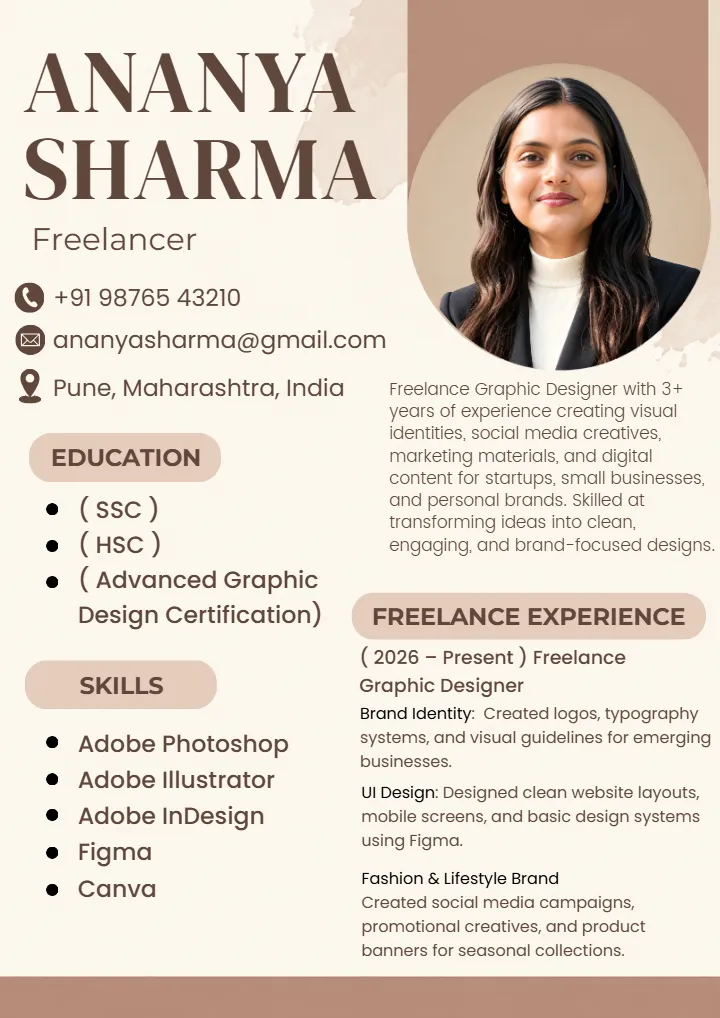
Freelancer Resume Template for Professional Work Profiles

Professional Software Engineer Resume Template for Jobs

Graphic Designer Resume Template for Creative Design Jobs
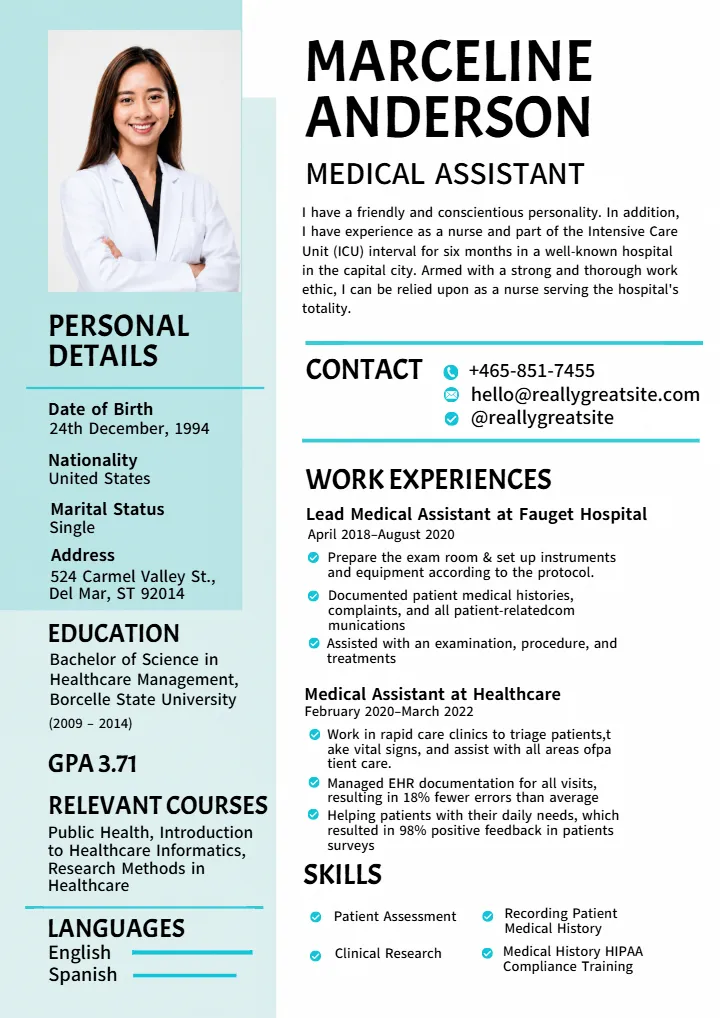
Nurse Resume Template for Nursing Students and Freshers
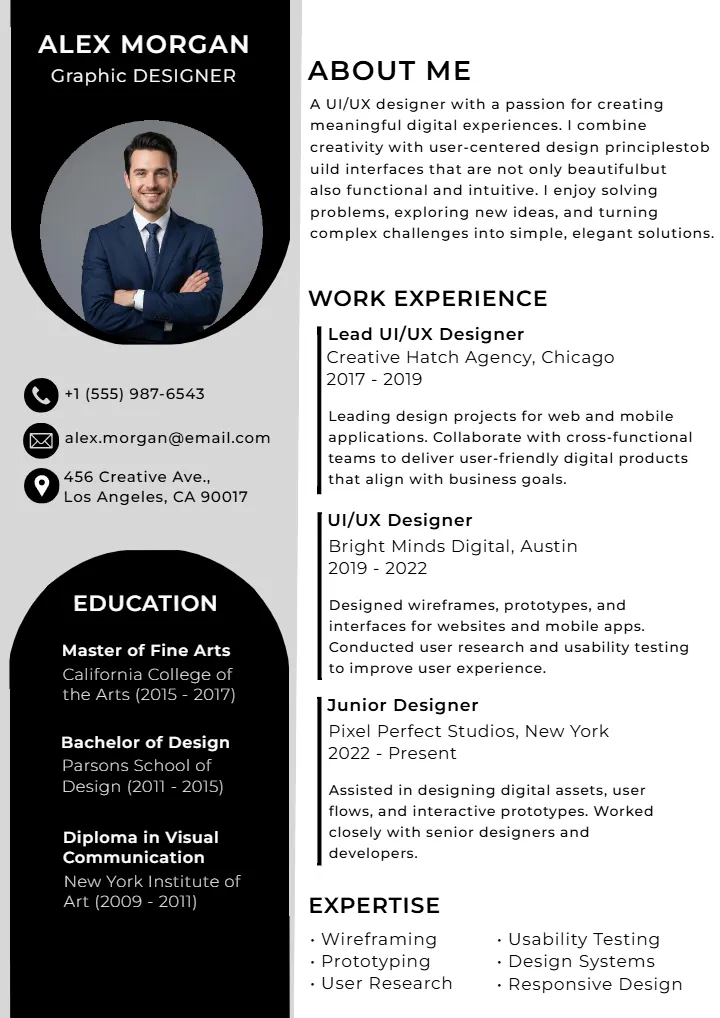
Graphic Designer Resume Design with Easy Editable Templates
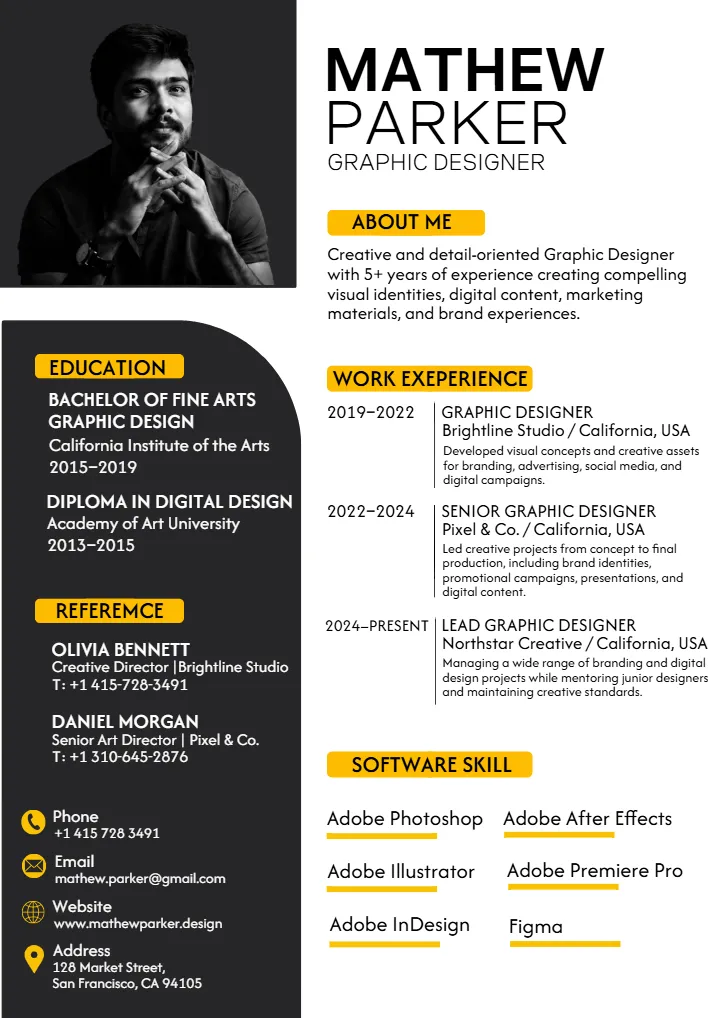
Graphic Designer Resume Template for Design Job Seekers
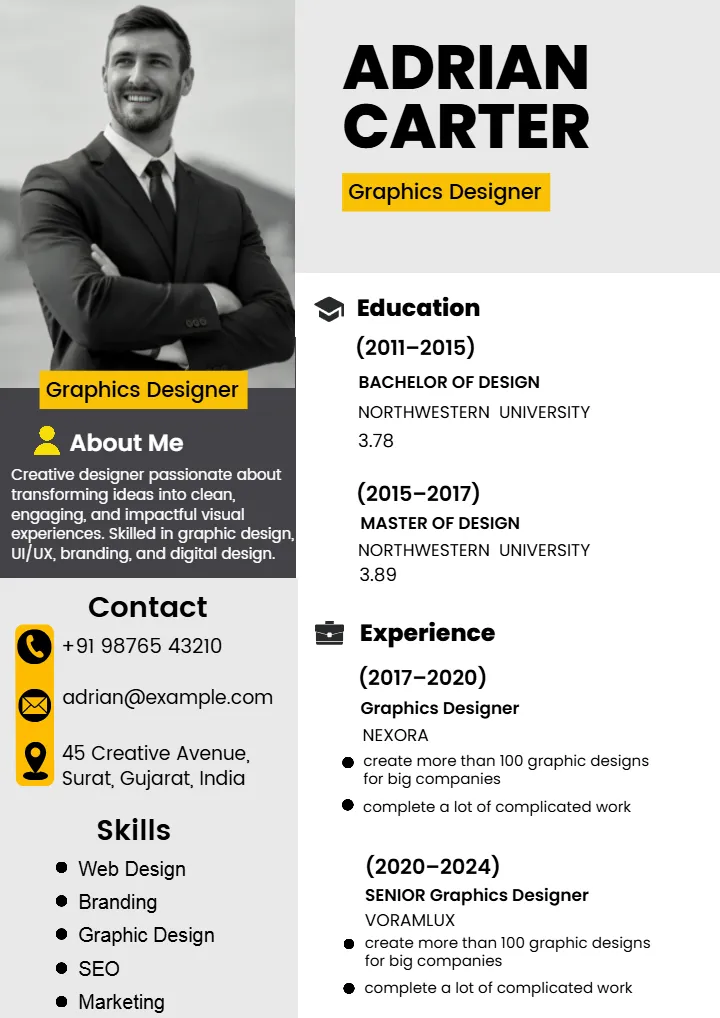
Graphic Designer Resume Template for Simple Job Application
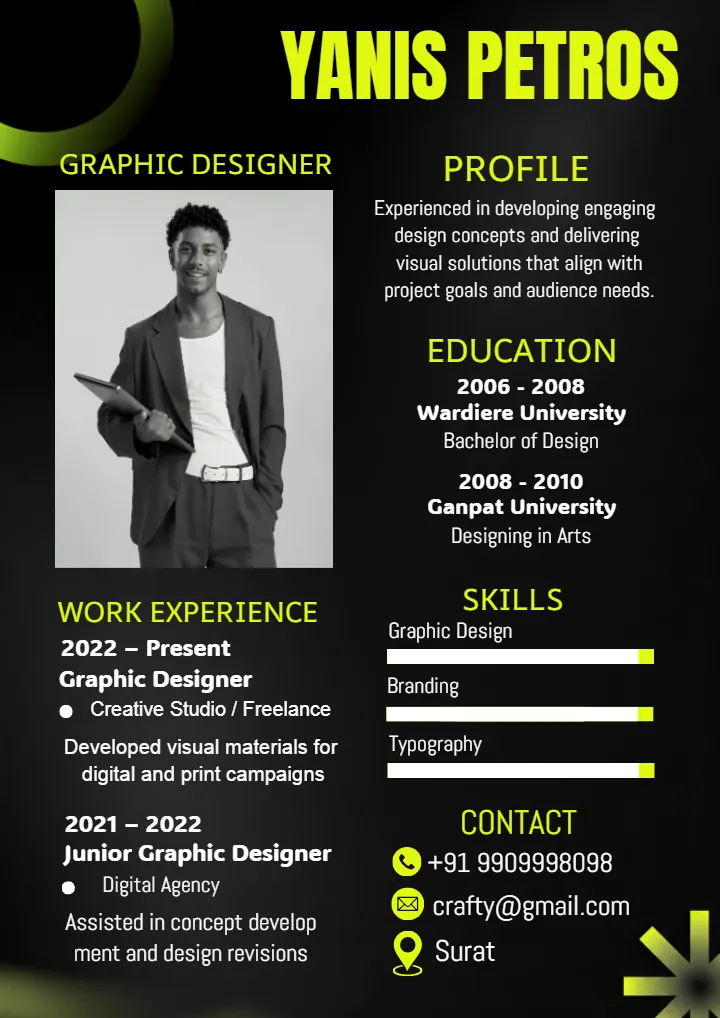
Graphic Designer Resume Template for Creative Professionals
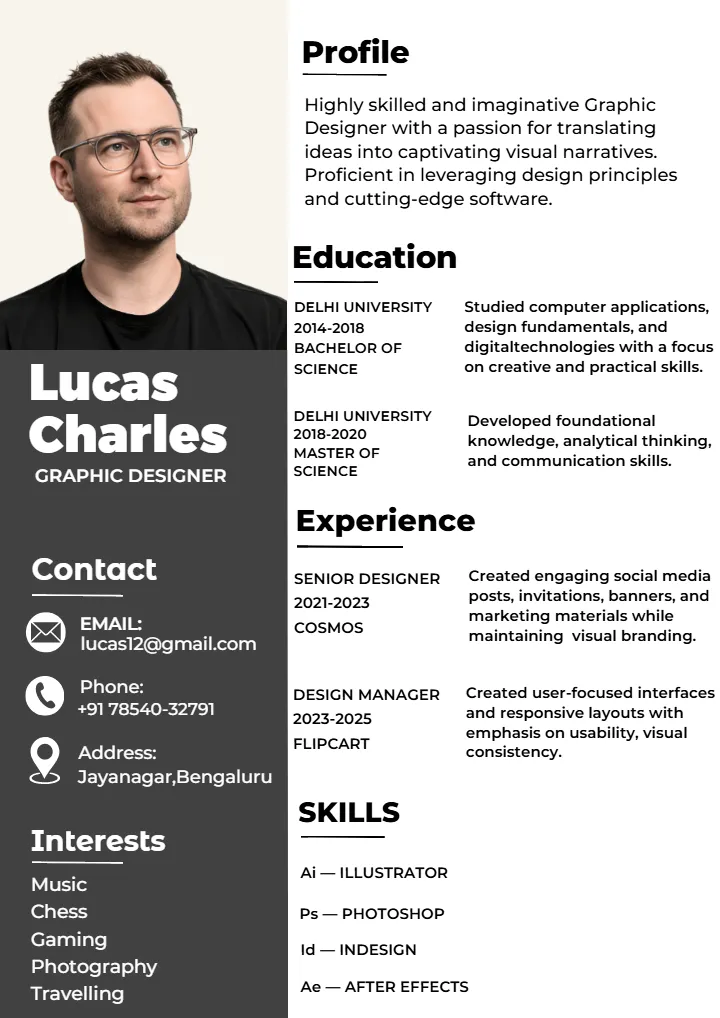
Graphic Designer Resume Template for Modern Job Profiles
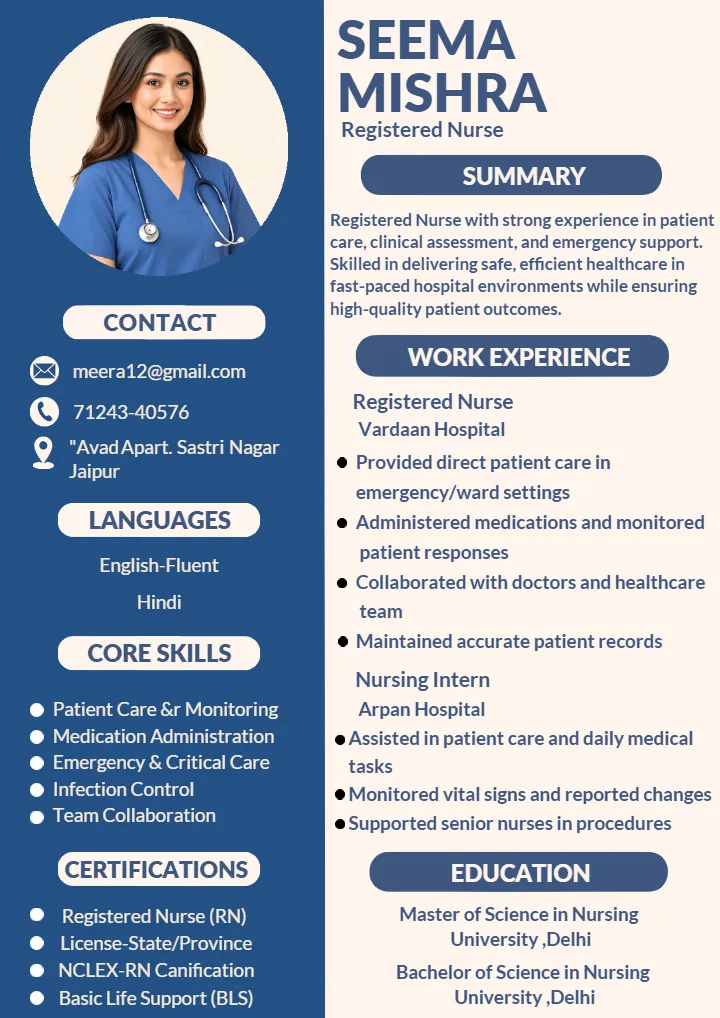
Nursing Job Resume Format for Freshers and Professionals
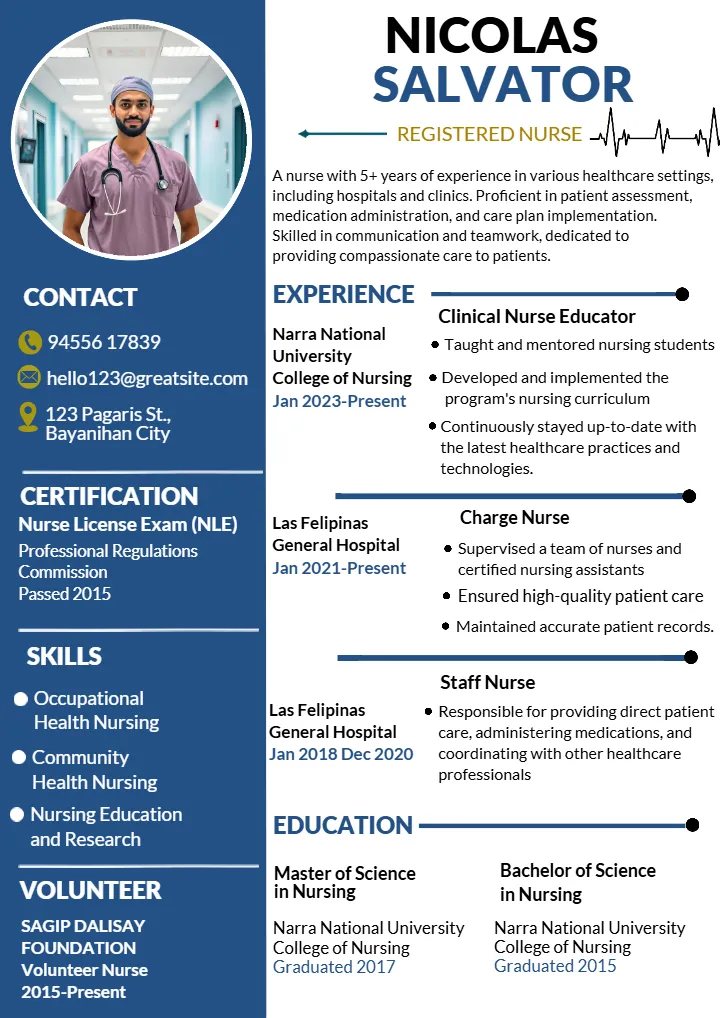
Editable Nurse Resume Template for Professional Job Profiles
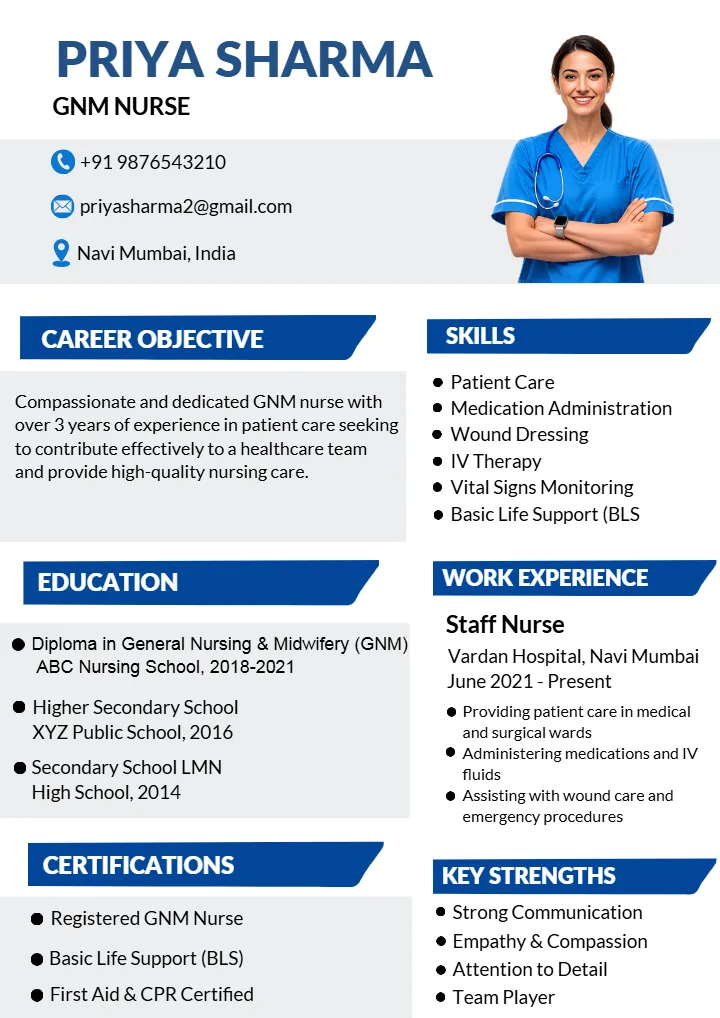
Nurse Resume Format for a Professional Nursing Career
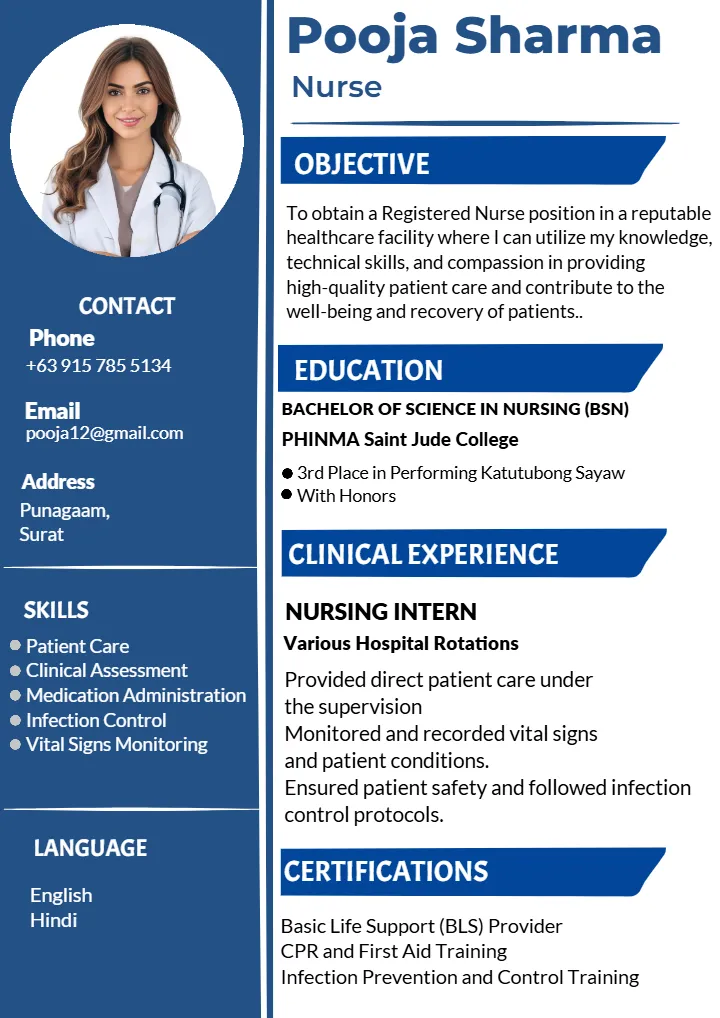
Nurse Resume Template to Edit and Download Online
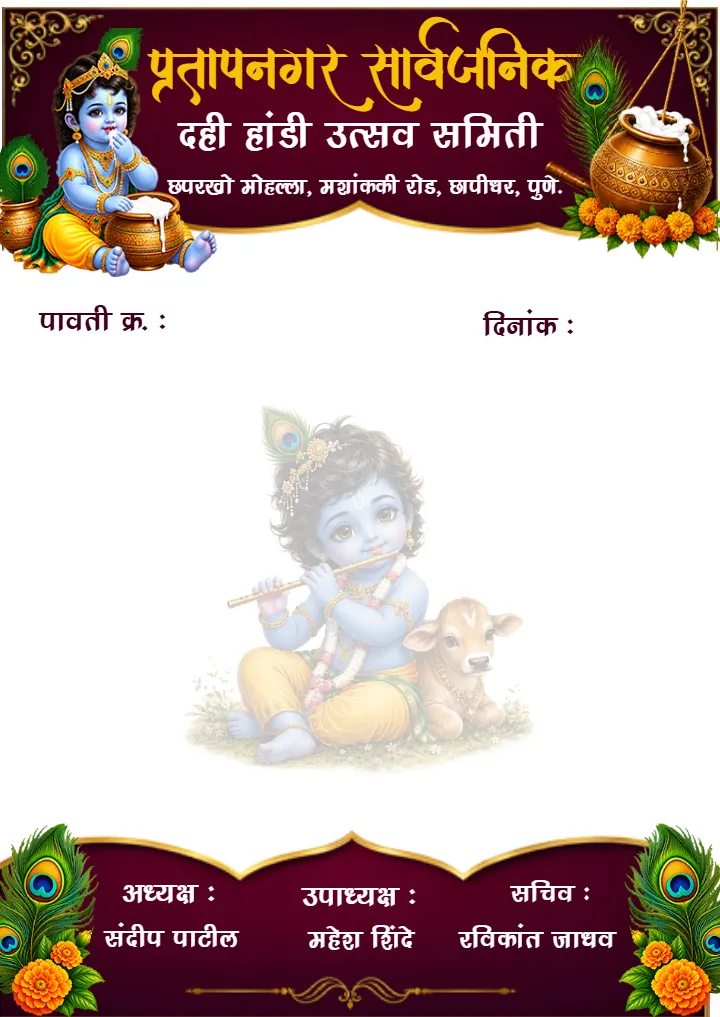
Dahi Handi Letterhead Template for Krishna Festival Events
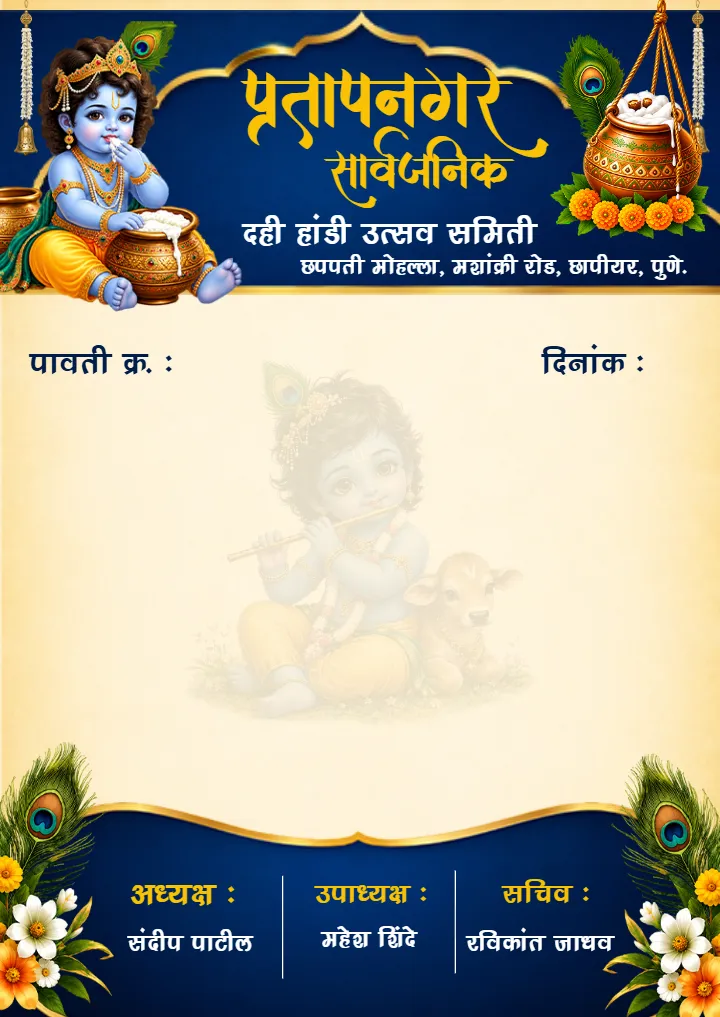
Dahi Handi Pavti Book Design With Krishna Theme for Mandal
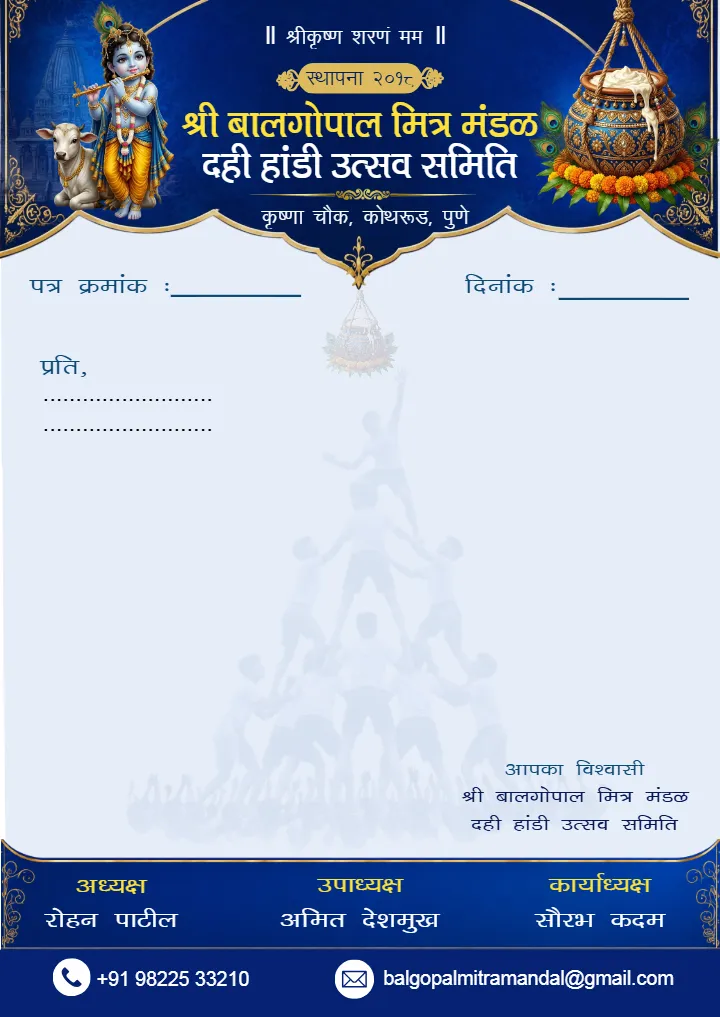
Dahi Handi Letterhead Design for Traditional theme
Document Templates for Personal, Professional and Official Needs
Documents are used for many daily tasks. People use them to share personal details, apply for jobs or write official notices. Making a document from a blank page can take a lot of time. Users may need to set the layout, spacing, headings and alignment by hand. A ready-made document template gives them a simple starting point with clear sections and a clean structure.
Different documents are made for different needs. A resignation letter needs a formal layout. A marriage biodata needs space for personal and family details. A resume shows skills, education and job details. A certificate is used to show recognition or achievement. A letterhead helps keep official communication clear and professional. selecting the right template lets users spend more time adding their information and less time making the page.
An example of the resignation letter format can help an employee to formulate a well-written resignation letter. It may contain space for the date, recipient’s address, subject line, reason, notice and concluding sentence. Users can change the text to fit their needs and workplace rules. A simple format can make the letter easy to write, check and share.
Understanding the Purpose and Use of Documents
The purpose of a document helps decide how the information should be placed. A personal document may need a simple and friendly look. An official document may need a clean and formal look. A ready-made resignation letter template can help users see where to put each important detail before they change the text.
For work messages, a resignation letter format for employee use can keep the letter short and clear. It may have the employee's name, job title, date, manager or company name, last working day and a polite ending. Before sending the letter, users should check the notice period and other rules set by their employer.
The same idea can be used for biodata, resumes, certificate and letterhead. A good template should make the document template easy to understand. It should not make the page look full or messy. Clear headings, easy-to-read fonts, good spacing and useful section can help readers find information quickly.
Users do not need to use every section in a template. They can remove any part that they do not need. This keeps the final document simple, clean and focuse on the most important information.
Explore Different Document Templates for Every Need
Creating the right document becomes easier when the layout is already organized. These document templates can be checked by users according to their individual needs either professional or academic. Under the Document category, there are four main templates which include Biodata Templates, Resume Templates, Certificate Templates and Letterhead Templates.
Biodata Document Templates
Personal and family information can be presented clearly with Biodata Templates. These designs are useful for marriage biodata, personal introductions and sharing important details in an organized manner. Users can add education, profession, family information, hobbies and contact details according to their needs. A structured layout also make the completed biodata easier to read and share.
Resume Document Templates
The career information should be structured in such a way that the employer or client gets to know about the candidate in quick succession. The resume templates will give proper structure to the academic qualifications, skills, experience, projects, achievements and certifications all in one place. The students and freelancers as well as professionals can select the appropriate template based on the stage of their career.
Certificate Document Templates
Recognition documents should clearly highlight the recipient and the achievement being recognized. Certificate Templates provide an organized structure for participation, completion, performance, and achievement-based requirements. Users can customize names, event details, dates, signatures and organization information. These designs can be useful for schools, sports activities, competitions, workshops, training programs and various events.
Letterhead Document Templates
Formal communication looks more organized when important organization details have a consistent structure. Letterhead Templates have places for names, logos, addresses, contact information and the message itself. They can be used in offices, organizations, committees, application letters, notifications and requests. A clean layout keeps the header professional while leaving enough space for written content.
Biodata Templates for Marriage and Personal Use
Personal information becomes easily exchangeable if it is organized in an organized manner. Biodata may be used for marriage proposals, personal profiles and family information among others. A well-structured biodata make it easy to include information such as name, education, occupation, family detail, hobbies and contacts among others.
A ready-made design can also save time. Users do not have to create every heading or set the space by hand. A biodata maker can make the editing process easy. Users can change the sample text and add their own details. This can help people who want a neat document but do not know much about graphic design.
Marriage biodata may need more personal and family details than a normal profile. A marriage biodata template can help put these details in a clear and easy order. Users can then change the fonts, spacing, colors, photos and heading to make the document their own. The main structure stays the same, so the document remains clean and easy to read.
Marriage Biodata Formats for Men and Women
Marriage biodata needs to communicate important personal information without making the page difficult to read. A suitable marriage biodata format can bring education, occupation, family background, interest and contact details into separate sections. This make it easier for the reader to scan the information and understand the profile quickly.
A marriage biodata template can also save time because the basic layout is already prepared. Users can select a simple, modern, traditional looking or creative design and then change the content according to their needs. The best option is usually the one that gives enough space for useful information without adding unnecessary decorative elements.
Male Marriage Biodata Template
A male marriage biodata can show many important details about a person. It may include personal details, education, job, work background, family information, hobbies and contact details. The amount of information can be different for each person. A clear layout can put each detail in its own section. This make the profile easy to read and understand.
A male marriage biodata format can be chosen based on the information a person wants to share. Some designs give more space for education and job details. Other designs give equal space for personal and family details. Users can edit, remove, or move sections to make the profile fit their needs.
Common details included in a male marriage biodata are:
- Personal details such as name, age, date of birth, height and location
- Education details such as degree, qualification and study field
- Occupation details such as job, business or work information
- Family information such as parents, siblings and family background
- Interests and hobbies that share personal likes and lifestyle
- Contact details for easy communication with the family or concerned person
- Photograph section for adding a clear and suitable profile photo
A male marriage biodata template can also make it easy to add a photograph. The photo can have its own space, so it does not affect the other details. Clear headings, good spacing, and a simple layout can make the final biodata look neat. The design does not need too many decorative elements. A clean and balanced page can help the important information stand out.
Female Marriage Biodata Template
A female marriage biodata can show important details about a person in a clear way. It may include personal, education, work, family and contact details. The information can be chosen based on the person's needs. There is no need to add every section. A short biodata can be better when it show the main details clearly.
A female marriage biodata format gives a simple way to arrange the information. Users can choose a clean one-page design or a longer design when more details are needed. They can also change the fonts, headings, photo and colors. These changes can give the biodata a personal look while keeping it easy to read.
Common details included in a female marriage biodata are:
- Personal information which includes name, age, date of birth, height and place
- Educational information such as qualifications, degree and field of study
- Professional information such as occupation, position or business
- Family details such as parents, siblings and family background
- Hobbies and interests to share personal likes and lifestyle
- Contact information for easy communication
- Photo section for adding a clear and suitable photograph
A female marriage biodata template can save time when setting the page. Users do not need to arrange every section by themselves. They can add their current information, check the details for mistakes, and save the finished file in a suitable format. The biodata can then be shared online or printed when needed.
Regional and Religious Marriage Biodata Formats
It is possible for people to choose to compose marriage biodata in a language that their families or audience understands well. The use of regional or language-specific formats will make the process simpler. Users can select an existing design and change headings or text to match their preferred language and personal requirements.
An online design can also make the editing process more convenient. With marriage biodata online options, users can work with a ready structure instead of creating the entire document manually. A creative biodata design can add visual interest, but it should still give priority to readable text and useful information.
Hindu Marriage Biodata Format
A hindu marriage biodata format can show the personal, education, work, and family details a person wants to share. The page can have a simple and clean layout. It can also have space for a photo when needed.
A hindu marriage biodata template gives ready-made sections. Users can change the sample text and add their own details. They can also remove fields they do not need. The layout can be changed before the final profile is saved or printed.
Gujarati Biodata for Marriage
Some Gujarati families may like a profile written in Gujarati. A gujarati biodata for marriage can include personal, education, work and family details. Users can write the information in the language they prefer.
A gujarati biodata format for marriage can also fit different family needs. Users can modify headings, upload a picture, change contact information, and eliminate unnecessary sections. The primary goal here is to ensure that the profile looks clean and simple.
Tamil Marriage Biodata Format
A tamil marriage biodata format can help users make a marriage profile in a clear order. Personal details, education, work, family details, and contact information can be placed in separate sections. This keeps the page simple.
A tamil biodata format for marriage can be changed to suit the user's needs. Users can edit the headings and language. They can also choose a design with enough space for their details before sharing it with family or other readers.
Marriage Biodata in Marathi
Users who prefer marathi can create a profile with simple headings and an easy layout. A marathi biodata maker can help arrange personal and family details without making the whole page from the start. This can save time and keep the profile clean.
A marriage biodata in marathi template may include sections like education, profession, family background, interests and contacts. Users can change these sections as needed. The finished profile can be shared online or printed.
Muslim Marriage Biodata Format
A muslim marriage biodata can include the personal, education, work and family details a person wants to share. A simple layout can keep the information clear and respectful. It can also provide space for important details and a photo when needed.
A muslim marriage biodata format can be edited to match the user's needs. Users can add or remove fields, change the photo area, and update the text. This helps create a profile that shares the needed information in a clear way.
Biodata for Marriage in Hindi
For Hindi-speaking customers, a template is available that is readable and easy to share. In hindi biodata, information includes personal, educational, professional, family, interests and contacts information. These details can be placed in clear sections.
A biodata for marriage in hindi can be made by changing the sample text with personal information. Short text and clear sections can help the profile stay neat. This is useful when many details need to fit on one page.
Resume Templates for Students and Professionals
The function of the resume is that it offers the employer or client/recruiter an overview of the candidate’s education, skills, work experience, projects and accomplishments. The resume should ideally be such that all relevant information is easily locatable rather than being hidden within paragraphs of text. Templates of resumes serve to be very helpful in this regard.
Different careers may need different types of resumes. Students may need space for education, internships, projects and skills, while experienced professional may focus more on work history, achievements and specialist skills. Creative professionals may also want a more visual layout, provided the design remains easy to read.
A resume should also match the role being targeted. Someone applying for a technical position may need to highlight tools, programming languages, projects and technical experience. A designer may want to show creative skills and portfolio information. Selecting a suitable template can help users present the right information in the right order.
Professional Resume Templates for Different Careers
Resume designs for different jobs can help users know what information to add. A Software Engineer Resume can give more space to technical skills, projects, programming languages, work experience and education. A nurse resume template can focus on clinical work, qualifications, certification, skills and training.
A nurse resume format should make key job details easy to find. Clear headings and short text can help employers check work experience and education quickly. Users should add correct information and only list qualifications they really have.
A Software Engineer Resume template can organize your technical skills, projects, experience, educational background and certification in an orderly manner. You have the ability to eliminate portions that do not apply to you. They can also give more space to projects and technologies that match the job.
For creative jobs, graphic designer resume templates can use more visual layouts while keeping the main resume details clear. A graphic designer resume design can use fonts, spacing, and page structure to show design skills. Still, extra design elements should not make the resume hard to read.
Freelancer Resume Templates for Creative Professionals
Freelancers may work on many projects for different clients and industries. Their resume may need to show many types of skills. A resume for freelancer can include selected projects, services, work experience, tools, achievements and links to useful work. The content should show skills and results that can help potential clients.
A freelancer resume template can make it easier to arrange these details. Freelancers do not need to build the whole page from the start. They can replace the sample content with their own work and change the design to fit their field. A simple layout can work well because clients can quickly see skills, experience and project results.
Editable and Free Resume Templates
Free and editable resume designs can help students, job seekers and professionals get started quickly. A resume builder template free option can include sections for personal details, skills, education, work experience and projects. Users can change the content without spending extra time making the page structure.
There are also free resume builder templates for different jobs, career levels, and styles. Users should choose a design based on the information they need to show. A free resume maker template can be useful when someone wants to create a clean resume in less time.
Certificate Templates for Events, Schools and Achievements
Certificates are used for many reasons. They can show participation, completion, achievement, performance, or contribution. A good certificate should have a clean and balanced layout. The person's name, achievement, organization details, date, and signatures should be easy to see. A ready-made certificate template gives a simple structure for adding these important details.
A certificate document template can also save time. Users do not need to make borders, headings, name areas and other parts from the start. They can select a design that fits the event and change the text as needed. Before using the final certificate, users should check names, dates, titles and spelling with care.
The certificate can be designed in a variety of ways, such as simply, formally, creatively, and colorfully. What is most important here is to consider the kind of occasion and the recipients of the certificate in order to choose the appropriate design. A school certificate might require simplicity in its design, while a creative event can feature some exciting design features.
A good certificate should make the important details stand out. The design should support the message instead of taking attention away from it. Clear sections, readable text, good spacing, and suitable design elements can help create a certificate that looks neat and works well for both sharing and printing.
Participation Certificate Templates and Formats
Participation certificates show that someone has participated in a particular event or activity. Participation certificates can be issued in various events, including competition, workshops, training sessions, school activities, etc. A participation certificate template may contain the participant's name, name of the event, name of the organization, date and signatures.
A participation certificate template can save time when many certificates are needed. Organizers can use one design and change the name and other details for each person. This keeps all certificates neat and similar.
Common details included in a certificate are:
- Recipient name shown clearly on the page
- Achievement or purpose such as participation, completion, or performance
- Event or program name connected to the certificate
- Organization or institution name that gives the certificate
- Date of issue or date of the event
- Authorized signatures for approval
- Certificate title that tells why the certificate is given
A certificate of participation template can be changed for different events and age groups. The message can be short and clear. The recipient's name can be made easy to notice. Before printing or sharing, organizers should check all names and dates carefully.
Sports Certificate Templates for Competitions and Events
Sports certificates can be given for taking part, winning a position, good performance or other achievements. A sports certificate template can have space for the participant's name, event, category, achievement, date, organizer and signatures.
Free editable sports certificate templates can help organizers make many certificates with one design. They can change the participant and event details while keeping the same layout. This makes the certificates look neat and consistent.
Marathi Certificate Templates and Word Formats
Some organizations and event teams may need certificates in Marathi. A certificate design in marathi can give space for the name, achievement, event detail, date and signature. The text should be clear and easy to read.
A marathi certificate format word can help users edit the certificate with ease. They have the option of editing the language used in the document, names, dates and other organizational information before printing out the certificate. The certificate needs to be proofread in Marathi before printing it.
Letterhead Templates for Organizations and Events
Letterheads help groups and offices share official messages in a clear way. They help keep the same look on every letter. The letterhead can contain a logo, the name of the organization, address, phone number, email and other contact information at the top. The rest of the area can contain letters, notices, requests, application or messages about an event.
A letterhead design marathi is useful for groups that use marathi for their work. The top part should be clear and simple. It should show the main contact details without using too much space. The open space below can be used to write or type the main message.
A letter head format marathi helps keep the same style for many letters. Users do not need to make a new header each time. They can use the same format and change only the details that are different.
Ganpati Mandal Letterhead Designs and Formats
Ganpati groups may need letterheads for many types of work. They may use them for notices, permission letters, requests, invitations, or sponsor messages. A ganpati mandal letterhead format in marathi can give a clear space for the group name, address, contact details, date, subject, and main message.
A ganpati letterhead design can be simple and easy to use. Users can add their group details and use the same design for many letters. A small header also gives more space for the main letter.
Dahi Handi Letterhead Templates for Events
Dahi Handi event groups may need letters for planning and event work. They may also need letters for permissions, teamwork, notices and other tasks. A dahi handi letterhead template gives a ready header and space for the main message.
It may contain the name of the event or the group, contact information, date, information about the subject and receiver. The format should be simple and readable. This will ensure that the letter appears neat whether printed or posted on the web.
Resignation Letterhead Templates for Employees
A resignation letter should be clear and formal. A resignation letter template gives space for the employee's details, receiver details, date, subject, resignation message, notice details and closing. Users can change the words to match their job and work needs.
A resignation letter format should keep the message short, clear and polite. Before sending the letter, employees should check their company rules. They should also check the notice period and any required step for submitting the letter.
Choose the Right Document Template for Your Purpose
The selection of a proper document template is determined by what information you wish to communicate and by the reason for which you need the document. Effective design will help to save your time. The design will ensure that all your data is kept neat and organized. Consider the purposes of your document before selecting a proper design for it.
Use this simple guide to choose the right document:
- Marriage details: Choose a biodata to share personal, education, job, and family details in a clear way.
- Job application: Choose a resume to show skills, education, work experience, and career details to employers.
- Participation or achievement: Choose a certificate to show participation, completion, good work, or an achievement.
- Official communication: Choose a letterhead for formal letters, notices, business messages, or group communication.
For marriage information, a biodata is a good choice. It also helps to maintain personal and familial information in one place. In terms of employment applications, a résumé enables prospective employers to get a quick look at a person’s qualifications, experience and education.
Certificates are useful for showing participation, achievement, completion or good performance. They can have the person's name, event name, date, organization name and signatures. For formal messages, a letterhead gives the document a clean and professional look. It can also show the name and contact details of the group or organization.
The right document format should fit the amount of information you want to add. A simple design is good for a short document. A bigger design can be useful when you need many sections. Editable document templates also make changes easy. You can update names, dates, headings, and other details without making the full design again.
Before you use the final document, check all the details. Check the spelling, names, dates, alignment and contact information. A good design should make the information clear and easy to understand.
Editable Document Templates in Different Formats
Different people have different needs when they edit or share documents. Some people like Word because it is easy to use and change. Others choose PDF for sharing and printing. PSD can be a better choice for the designers due to increased control of the design. It all depends on the extent of modification you want to do after selecting your preferred template.
A marriage biodata word format pdf option can help users make and share a biodata. They can first edit the document template and add their details. After that, they can save it as a PDF. The PDF keeps the same layout when it is shared or printed.
- Word format: This is useful when you want to change text, add details, edit headings or change sections. It works well for resumes, biodata, letters and other text documents.
- The PDF Format: This will be ideal where you need the format to remain constant regardless of the device used. It will be suitable for distribution, download, and printing.
- PSD format: This is useful when you want more control over the design. You can change text, photos, colors, layers and other design parts with suitable editing software.
- Online editable: This is a simple choice for people who want to edit a template online. You can make changes in an online editor without needing advanced design skills or special computer software.
- Printable formats: These formats are made for printing the final document. You can print at home, at work or at a printing shop. The right page size, space and image quality help give a clean print.
People who want more design control may choose male marriage biodata psd free download. This will allow them to have more control over their font, images, colors, and all other components of their design. Regardless of which format you select, it is wise to test your final product on the intended device.
Find Simple and Professional Document Designs
Good document template design is not only about making a page look nice. It should also help people find information fast. A clean design uses clear headings, easy fonts, good spacing and enough empty space. For example, a creative biodata can look attractive while keeping personal and family details easy to read.
Career documents also need a good balance. A graphic designer resume design can show creative skills through fonts and page layout. But key career details should still be easy to see. Too many pictures, icons or design parts can make the resume hard to read. Employers need to find skills and work experience without any trouble.
- Purpose: Pick a design that matches your document. A marriage profile, resume, certificate and official letter may each need a different style.
- Layout: Choose a layout with enough space for headings, text, photos, signatures and other key details. A neat layout helps readers find information fast.
- Readability: Use clear fonts, easy text sizes, and good spacing. Avoid crowded designs and too many extra design parts.
- Editable sections: Check if you can easily change names, dates, photos, headings, and contact details. This is helpful when you need to make many documents.
- Print quality: Check the page size and image quality before printing. Clear text and sharp images can make the printed document look neat.
- Language: Select a template that supports the language you need. For example, a certificate design in marathi should use clear Marathi text with enough space.
- Professional or creative style: Select a style that suits the people who will read the document. A creative biodata can have attractive design parts. A graphic designer resume design can have more creative details. A letterhead design marathi can stay formal while being useful for Marathi communication.
For regional documents, a certificate design in marathi should make the text easy to read. The right font is important when using Marathi or other non-English text. The design should help the written content stand out and should not make it hard to read.
How to Use and Customize Document Templates
Using a ready-made document template does not mean your final document must look the same as the sample. A template is a starting point. You can change it to fit your needs. First decide what document you need. Then, select a layout with the right sections.
A biodata maker can make it easier to create a personal or marriage profile. In the same way, a free resume maker template can help arrange career details before adding the final information. If you edit online, you can use the available tools to make changes. Always check the finished design before saving it.
Follow these simple steps to customize a template:
- Choose the required document: Decide if you need a biodata, resume, certificate, letterhead or another document.
- Select a suitable template: Take a layout with enough space for all the detail you want to add.
- Replace sample information: Add the right name, dates, contact details, education, achievement and other needed information.
- Customize the design: Change text, photos, heading, spacing and other editable part as needed.
- Review the document: Check spelling, names, dates, alignment and how easy the document is to read.
- Save and share: select the right file format for sharing online or for printing.
Do not add information just because the document template has an empty space. A short document with useful details can be easier to read than a page with too much content. Before downloading or printing, preview the final design. This helps you find and fix any mistakes.
Explore the Right Document Template for Your Needs
Finding the appropriate document becomes simpler if one already knows the reason behind the need for the document. A document that contains personal information could be a biodata, while someone who is hunting for jobs needs a resume. Event groups may need certificates or letterheads. Employees may need formal work documents. Each document has its own use and layout. So, choose one that fits your need.
A document template can save time. It gives you a ready base to start with. You can then add your own details and make changes. Users can also look at free templates for a simple starting point. Choose a design based on how you want to edit it, the document format, the language and where you will use it.
For marriage needs, a marriage biodata free design can help you start your document. It can give space for personal and family details. For work needs, a resume made for a specific job can help show the right skills and work experience. Certificates and letterheads can also be changed for schools, offices, groups, and events.
The best template is not always the one with the most design. A good template should make the information easy to see. It should also give enough space to make changes. It should work well in the final file format. When users choose a template for the right purpose and change only the needed parts, they can make documents that are useful, clear, and easy to share or print.
Crafty Art brings many document needs into one easy collection. Users can explore designs for personal details, jobs, certificates, and official messages. Whether you want to arrange personal information, make a professional resume, show an achievement, or create the same style for group messages, the right template can make the design work easier.
Explore Top Template Categories :
Customer Reviews
See why thousands of customers love creating their perfect invitations with us.
5 / 5
Based on 1 customer ratings
5 star
100%
4 star
0%
3 star
0%
2 star
0%
1 star
0%
Share Your Experience
How was your invitation design?
Our Customer Feedback
Don’t take our word for it. Trust our customers
“Good 👍”

Venkatesh mutpuri
Have more Questions?
See our help center or send us a message!

FAQs for Document Template
What is a document template?
What types of document templates are available?
Can I edit a document template?
Can I download and print document templates?
How do document templates save time?
Features
Create Invitation
Create Video Invitation
Wedding
Baby Shower
Birthday
Puja
Funeral
Naming Ceremony
Gender Reveal
Inauguration
Engagement
Stationery Design
Reception
Retirement
Announcement
Sport
PSD
Caricature Maker New
AI Tools New
Build Your Website New
Wedding Website Maker New
Crafty Creator New
Affiliate Program New
Bulk Whatsapp Message Sender New
Company
Legal